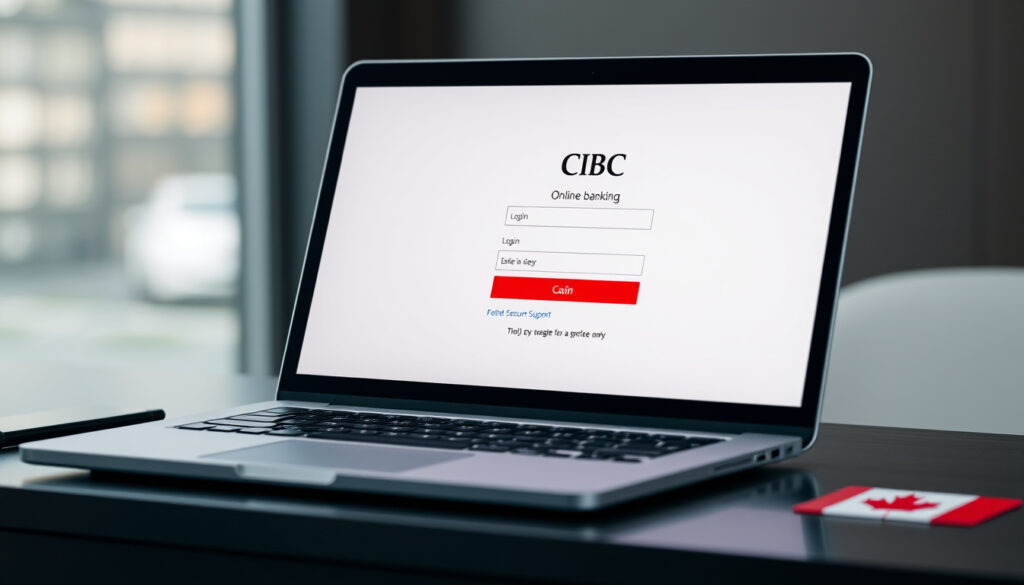
Services Bancaires CIBC en Direct: Login & Support Guide
If you’ve got a CIBC card in your wallet but aren’t sure how to get into your account online, you’re not alone — the login flow depends on which region’s services you’re using, and each one asks for different credentials. This guide walks through the exact steps for Canadian, US, and Caribbean banking access, with verified phone numbers and the security details that actually matter.
Primary Login Method: Card number and password · Customer Service Phone: 1-888-872-2422 · Online Banking Features: Check accounts, deposit checks, pay bills · Mobile Access: App and web (verified via CIBC Official Site)
Quick snapshot
- Login uses card number and password (CIBC Official Site)
- Phone support at 1-888-872-2422 (CIBC Official Site)
- Password requires 6–12 characters (CIBC Official Site)
- Exact 24/7 hours for all services across regions
- Specific fee structure details beyond basic features
- New digital sign-on process introduced prior to 2026 (CIBC Official Site)
- Caribbean Corporate Online migration ongoing (CIBC Caribbean PDF Guide)
- Fingerprint sign-on available on supported mobile devices (CIBC Official Site)
- Push notifications for one-time verification codes (CIBC Official Site)
| Field | Value |
|---|---|
| Main Login URL | www.cibconline.cibc.com |
| Support Phone (Canada) | 1-888-872-2422 |
| Support Phone (US) | 877-448-6500 |
| Password Length | 6–12 characters |
| Verification Code Digits | 6 (Canada/US), 5 (Caribbean) |
| Registration With | CIBC debit or credit card |
| Caribbean Corporate Setup | 4 steps |
| Caribbean Login URL | corporatebanking.cibcfcib.com/login |
| US Enrollment Option | ATM or Debit Card |
How to log in to CIBC Direct Online Banking?
Canadian online banking login for Services bancaires CIBC en direct starts at CIBC Official Site (Canadian Services), where you’ll need to enter your card number and password. The system then asks for a 6-digit verification code sent via text, email, or voice for sensitive transactions. CIBC supports fingerprint sign-on on devices with fingerprint readers, which can replace the password on compatible phones or tablets.
“Our new sign-on process is cleaner and more intuitive with added security.”
— CIBC, CIBC Official Site
Using card number and password
- Navigate to CIBC Online Banking and select the card number field.
- Enter your CIBC debit or credit card number — this serves as your username for Canadian direct banking.
- Type your password (must be 6–12 characters) and complete any secondary verification if prompted.
- Once signed in, you can access bill payments, fund transfers, check deposits, and account details.
For Canadian users, the card number-as-username approach is unusual — most banks use a separate User ID. If you’ve forgotten your card number, call 1-888-872-2422 before resetting your password online.
Troubleshooting login issues
- Wrong password: Go to Customer Services > Site Preferences > Change your password on the CIBC website.
- No verification code received: Check that your phone number or email is registered under your account profile, or contact support at 1-888-872-2422.
- JavaScript required: CIBC requires JavaScript enabled for Services bancaires en direct — if the page loads blank, check your browser settings.
- Replacement card: A new debit card retains your existing password — no re-registration needed.
What are the CIBC customer service hours?
CIBC operates customer support lines during regular business hours, with select services available around the clock. According to CIBC Official Site (Email Support), the Canadian Online Banking support line is 1-888-872-2422, while the US Client Support Center reachable at 877-448-6500 serves US-based customers.
Phone support availability
- Canadian Online Banking Customer Support: 1-888-872-2422 — available during standard hours with voicemail after.
- US Client Support Center: 877-448-6500 — contactable during US business hours.
- Email support via CIBC website: Select a topic, enter your email, and submit — response times vary by inquiry type.
24/7 options for specific services
- Telephone banking and credit card support offer 24/7 access for core transactions like balance inquiries and payments.
- Interac Sign-In service for Government of Canada sites (RRSP, CPP, TFSA access) runs continuously using your CIBC card credentials.
- The CIBC Mobile App remains accessible 24/7 for account viewing and basic transfers once you’re signed in.
If you need urgent help outside business hours, the 24/7 telephone banking line handles most account emergencies — but locked-out passwords or disputed transactions typically require waiting until agents are available.
How can I contact CIBC customer service?
The fastest path to a live agent depends on your region and the nature of your inquiry. CIBC offers phone, email, and in-app contact options, with regional phone numbers that differ between Canada, the US, and the Caribbean operations.
Phone numbers including 1-888-872-2422
- Canada: 1-888-872-2422 for Online Banking support, with additional numbers for specific products.
- US: 877-448-6500 reaches the CIBC US Client Support Center.
- Caribbean Corporate: Contact details appear in the CIBC Caribbean contact page, with regional branch numbers varying by country.
Speaking to an agent
- Call the appropriate regional number and follow the voice prompts — banking inquiries are typically routed separately from credit card or investment support.
- For US customers, the CIBC US Sign On Hub provides access to all US product logins from a single portal.
- Caribbean corporate clients should have their account number and RSA token ready before calling — these are mandatory for identity verification.
- Email support requires selecting a topic category and entering a valid email address — this works well for non-urgent inquiries that don’t require immediate resolution.
Interac Sign-In services provide access to government accounts, but the five registered service types (including RRSP, CPP, and TFSA) require separate enrollment through those platforms — CIBC credentials alone don’t unlock all government services.
How to view bank account details online?
Once signed in to CIBC Direct Online Banking, your account dashboard displays balances, recent transactions, and account numbers. The interface lets you drill into individual accounts, download statements, and set up alerts for activity thresholds.
Finding account number
- Your account number appears on the main account listing page after login — click on the specific account to see full details.
- For Interac Sign-In services, your CIBC card number and password enable access to government portals where registered accounts can be viewed.
- Downloadable statements include full account numbers if you need to share them with third parties like landlords or employers.
Checking balances and transactions
- Select an account from the dashboard to view current balance and pending transactions in real time.
- Transaction history shows date, description, amount, and running balance — filterable by date range or transaction type.
- Bill payments and transfers appear immediately in pending status and clear within standard processing times.
- Mobile app access mirrors the web experience, with biometric login options for faster access on supported devices.
“You are now ready to login to Corporate Online for the first time with your User ID, PIN and Token Number.”
— CIBC Caribbean Guide, CIBC Caribbean PDF Guide
Is CIBC telephone banking available 24/7?
CIBC offers 24/7 access for telephone banking and credit card services, though the scope of transactions available without agent assistance varies. Automated systems handle balance inquiries, transfers between CIBC accounts, and bill payments at any hour, while disputed transactions or account changes typically route to available agents.
Service hours for phone banking
- Automated telephone banking: 24/7 for balances, transfers, and basic bill payments.
- Agent-assisted support: Available during business hours — voicemail leaves a callback request for after-hours.
- US telephone banking: Follows US business hour patterns with 24/7 automated options for standard transactions.
Credit card support details
- Credit card inquiries and payments: 24/7 via automated phone system.
- Disputed transactions, increases, and new product applications: Require agent assistance during business hours.
- CIBC US credit card holders: Call 877-448-6500 for dedicated US support during business hours, with 24/7 automated payment options.
Step-by-step: Registering for CIBC Online Banking
- Go to the CIBC registration page for mobile and online banking.
- Select “Register for Online Banking” and choose registration with a debit or credit card.
- Enter your card number, expiry date, and the last four digits of your primary card.
- Create a password (6–12 characters) and set up your preferred verification method (text, email, or voice).
- Enable optional features like fingerprint sign-on if your device supports it.
- Complete registration and sign in to access your full account dashboard.
CIBC’s new digital sign-on process includes enhanced authentication — if your device isn’t recognized, expect a verification code prompt even if you’ve saved your password. This is intentional security, not a login error.
Related reading: Canadian Dollar Rate Today in India · Maple Leaf Foods Stock
us.cibc.com, cibc.com, cibc.com, cibc.com, cibc.com, us.cibc.com
Navigating Services Bancaires CIBC en Direct becomes smoother when paired with insights from the CIBC online banking login guide, covering app access and full setup for seamless account management.
Frequently asked questions
How to register for CIBC direct banking?
Visit the registration page with your CIBC debit or credit card, enter your card details, create a 6–12 character password, and choose a verification method. Once confirmed, you can access accounts via web or mobile app.
What is CIBC Mobile Banking App?
The CIBC Mobile Banking App is available on Google Play and Apple App Store, supporting fingerprint login, push notifications for verification codes, and full account access including bill payments and check deposits.
Does CIBC offer services in French?
Yes — Services bancaires CIBC en direct is the French-language version of CIBC online banking, accessible at the same portal with French-language interface and customer support options.
How to deposit checks online?
Sign in to CIBC Mobile Banking, select “Deposit a Check” from the menu, endorse the check, and capture photos of the front and back using your phone camera. The amount credits to your account after standard review.
What to do if I forget my password?
Click “Forgot Password” on the login page, enter your card number, and follow the verification prompts to set a new password. If your card is locked or expired, call 1-888-872-2422 for account recovery assistance.
How to transfer funds in CIBC online?
After signing in, select “Transfers” from the account menu, choose the source and destination accounts, enter the amount, and confirm with a verification code. Internal transfers between CIBC accounts process immediately; external transfers may take 1–3 business days.
For Canadian banking customers, the path to accessing your money through digital channels is straightforward — card plus password, plus a verification code for sensitive moves. US account holders need to complete enrollment first, and Caribbean corporate clients must activate their RSA token before touching the login page. Save the right regional phone number (1-888-872-2422 for Canada, 877-448-6500 for the US) before you need it, because the automated systems won’t help you recover a locked account — that requires a live agent.
More related posts
 Keg Gift Card Balance: Check Online or Phone Guide
 The Last of Us Eugene – Backstory, Death and Game-Show Differences
 Prairies Winter Storm Warnings – Latest Snow and Travel Alerts
 Is Quinoa Gluten Free – Safe Choices for Celiacs
 Desjardins Credit Card Guide: Compare Fees, Rewards & More
 Zac Efron Plastic Surgery: Jaw Accident Truth Revealed
 Gamification Summit Ticket Sale Effectiveness: Top Strategies